
Why Is Your Ceiling Fan Wobbling?
Understanding what causes a ceiling fan to wobble comes down to a few common culprits: unbalanced blades, loose mounting hardware, or a faulty installation. In most cases, the fan is slightly out of balance or has developed loose components over time. Catching the problem early protects your ceiling, your home, and everyone underneath it.
A wobbling ceiling fan is more than just annoying — it can be a genuine safety hazard, especially in older Geelong homes where ceiling fixtures may already be under stress. The good news is that many causes are straightforward to identify, and some fixes are well within a careful homeowner’s reach.
The Most Common Reasons a Ceiling Fan Wobbles
Before you grab a ladder, it helps to know exactly what you’re looking for. Ceiling fan wobble usually stems from one or more of the following issues.
Unbalanced or Warped Fan Blades
This is the single most frequent cause of wobble. Fan blades can warp due to humidity and temperature changes — something Geelong residents know well, given the region’s variable coastal climate. Even a slight warp of a millimetre or two is enough to throw the entire fan off balance.
Dust accumulation is another overlooked factor. When one blade collects significantly more dust than the others, the weight imbalance causes the fan to wobble during operation. A thorough clean is always worth trying first.
Loose Blade Brackets and Screws
Each blade is attached to the fan motor housing via a blade bracket (sometimes called a blade iron or blade arm). Over time, the screws holding these brackets can loosen due to vibration. Even one loose bracket is enough to create a noticeable wobble and, if left unchecked, can cause a blade to detach entirely.
Check every bracket screw carefully — not just the ones on the blade you suspect. It’s common for multiple brackets to loosen at the same time.
Improper Ceiling Mount or Loose Canopy
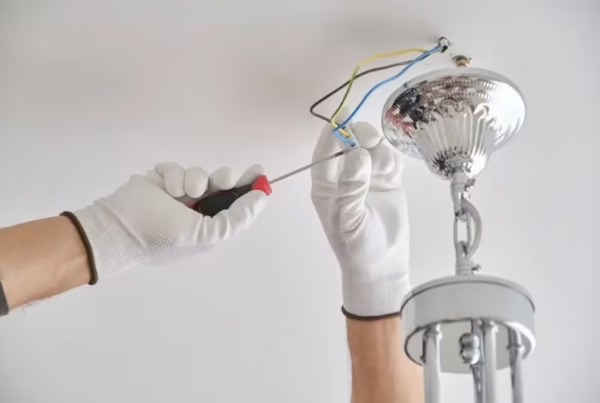
The mounting bracket and canopy connect your fan to the ceiling box. If the ceiling box wasn’t rated for a fan (standard light boxes often aren’t), or if the mounting screws have worked loose, the entire fan assembly can rock and sway. This is a particularly important point for anyone in an older Geelong property where original electrical installations may predate modern fan-rated ceiling box requirements.
You can check whether your ceiling box is fan-rated by looking for a label inside the canopy or box itself. Under Australian Standards (AS/NZS 3000, the Wiring Rules), ceiling fans must be installed on purpose-rated mounting systems — this isn’t optional.
Mismatched or Incorrectly Installed Blades
If blades from different sets are mixed together, or if a replacement blade isn’t an exact match for the others, the fan will wobble. This sometimes happens after a blade is damaged and replaced with a “close enough” substitute. Even small differences in blade pitch or weight distribution will show up as wobble at higher speeds.
Worn Motor Bearings
Inside every ceiling fan motor are bearings that allow the shaft to spin smoothly. Over years of use, these bearings wear down. When they do, you’ll often notice not just wobble but also a grinding or humming noise. Worn bearings generally mean the motor is nearing the end of its serviceable life.
How to Diagnose What Causes a Ceiling Fan to Wobble
Follow these steps in order before attempting any repairs:
- Turn off the fan and wait for all blades to stop completely. Never work on a moving fan.
- Clean all blades thoroughly. Use a damp cloth and remove all dust and grime, ensuring each blade is equally clean.
- Tighten all blade bracket screws. Use the correct screwdriver and check every single one.
- Check the canopy and mounting screws. Gently try to rock the canopy by hand — any movement indicates a loose mount.
- Use a blade balancing kit. These inexpensive kits (available at most hardware stores) include small adhesive weights you attach to blades to correct minor imbalances.
- Run the fan at each speed setting. Note whether the wobble occurs at all speeds or only at higher settings, as this helps narrow down the cause.
For general electrical maintenance and peace of mind, an electrical safety check in Geelong can identify not just fan issues but other potential hazards around your home.
DIY Fixes That Are Safe for Homeowners
Cleaning blades, tightening blade bracket screws, and applying balancing weights are all tasks a competent homeowner can tackle safely — provided the fan’s power is switched off at the wall switch and at the circuit breaker. These fixes don’t involve touching any wiring and carry minimal risk when done carefully.
Replacing a damaged blade with an identical manufacturer-matched replacement is also a reasonable DIY task. Just make sure the replacement is an exact match — same weight, same pitch, same length. If you’re unsure, contact the fan manufacturer directly for the correct part number.
If you’ve also been thinking about upgrading other fixtures while you’re up there, our guide to light installation in Geelong covers what’s involved in updating ceiling-mounted fittings safely.
When to Call a Professional
Some ceiling fan issues go beyond what a homeowner should attempt. You should contact a licensed electrician if:
- The ceiling box or mounting bracket is loose, cracked, or not fan-rated
- You notice any burning smell, sparking, or unusual heat from the motor
- The wobble persists after cleaning, tightening, and balancing
- The fan is making a grinding or loud humming noise suggesting bearing failure
- You’re unsure whether your existing wiring and ceiling box comply with AS/NZS 3000
Working inside the ceiling canopy or replacing a ceiling box involves live electrical components and must be carried out by a licensed electrician under Victorian electrical safety regulations. BTD Electrical & Data’s electrical repair service in Geelong handles ceiling fan diagnostics, mounting upgrades, and full fan replacements for homeowners across the region — including those on the Surf Coast. Don’t risk a falling fan or an electrical fault — call a qualified professional and get it sorted properly.
Conclusion
Knowing what causes a ceiling fan to wobble puts you in a much better position to fix the problem quickly and safely. In most cases, the culprit is unbalanced blades, loose screws, or a mounting issue — all of which are diagnosable with a careful inspection. Start with the simple fixes: clean the blades, tighten the hardware, and use a balancing kit.
If the wobble continues, or if you suspect a structural or electrical issue with the mount, don’t delay. Contact BTD Electrical & Data for professional, reliable ceiling fan repairs across Geelong and surrounds. A stable, smoothly running fan is safer, quieter, and far more energy-efficient — well worth the small investment to get it right.
Frequently Asked Questions
Is a wobbling ceiling fan dangerous?
Yes, it can be. A persistent wobble puts stress on the mounting hardware and ceiling box. In severe cases, it can cause the fan or individual blades to detach, which is a serious safety risk. Address any wobble promptly, and if you suspect a mounting or electrical issue, contact a licensed electrician.
Can I balance my ceiling fan myself?
Yes, for minor imbalance issues. Blade balancing kits are inexpensive and widely available. After cleaning the blades and tightening all screws, attach the balancing clip to different blades at the midpoint and run the fan to test. Once you find the right blade, use the adhesive weight from the kit to make the correction permanent.
How often should ceiling fan screws be checked?
It’s good practice to check and tighten all blade bracket screws at least once a year — ideally at the start of summer before heavy use. Vibration naturally loosens screws over time, and a quick annual check takes only a few minutes and can prevent bigger problems.
Does Geelong’s coastal climate affect ceiling fans?
It can. The humidity and temperature swings common in Geelong and surrounding coastal areas can cause timber or composite blades to warp slightly over time. This warping is one of the leading causes of blade imbalance. Choosing fans rated for humid or coastal environments, and keeping blades clean and dry, helps extend their lifespan significantly. For more about what we do, visit our homepage.