
Why Your Ceiling Fan Wobbles — and What It Means
Knowing how to balance ceiling fan blades is simpler than most Geelong homeowners expect. A wobbly ceiling fan is nearly always caused by uneven blade weight, a warped blade, loose screws, or dust build-up — all of which you can diagnose and fix yourself in under an hour, without any specialist tools.
Ceiling fans work hard in Geelong’s climate. During summer, they run for hours on end pushing cool air around living rooms and bedrooms. Over time, that constant rotation causes screws to loosen, blades to warp slightly, and dust to accumulate unevenly — all of which throw the fan out of balance. Left unchecked, a wobbling fan puts unnecessary strain on the motor and mounting bracket, shortening the unit’s lifespan considerably.
What You’ll Need Before You Start
You don’t need an electrician’s toolkit for this job. Gather the following before you begin:
- A sturdy ladder tall enough to reach the fan comfortably
- A Phillips head screwdriver
- A ruler or blade balancing gauge (available at most hardware stores)
- A balancing kit — usually a small clip and adhesive weights, often included with the fan or sold separately for a few dollars
- A clean, dry cloth for dusting
Turn the fan off at the wall switch and wait for the blades to come to a complete stop before climbing your ladder. Safety first — always.
Step-by-Step: How to Balance Ceiling Fan Blades
Follow these steps in order and you’ll resolve the vast majority of wobble issues without needing to call anyone out.
Step 1 — Tighten Every Screw
Start at the canopy (the cover at the ceiling) and work your way down. Tighten the screws on the mounting bracket, the motor housing, and every blade bracket. It sounds obvious, but loose screws are the single most common cause of fan wobble, and this fix takes less than five minutes.
Step 2 — Clean the Blades Thoroughly
Use your dry cloth to wipe both the top and bottom surfaces of each blade. Dust accumulates unevenly — particularly in coastal areas like Geelong where humidity can cause particles to stick — and even a thin layer can shift the weight distribution enough to cause noticeable wobble.
Step 3 — Check Blade Pitch and Alignment
Each blade should sit at the same angle and height relative to the motor. Use your ruler to measure the distance from the tip of each blade to the ceiling. If one blade sits higher or lower than the others by more than 3 mm, gently bend the blade bracket back into position by hand. Do this carefully — you want a gradual adjustment, not a sharp bend.
Step 4 — Use a Balancing Clip to Find the Problem Blade
Turn the fan on at a low speed and observe which blade appears to be causing the most movement. Clip the balancing clip to the centre of that blade’s leading edge, then run the fan again. Move the clip along the blade in small increments until the wobble reduces. Once you’ve found the sweet spot, note the position.
Step 5 — Apply the Adhesive Weight
Peel and stick the adhesive weight from your balancing kit to the top surface of the blade at the position where the clip worked best. Remove the clip, run the fan, and check the result. If wobble persists, try adding a second weight slightly closer to or further from the blade tip until the fan runs smoothly.
This process of how to balance ceiling fan blades is the same technique used by professional installers — it’s methodical, low-risk, and genuinely effective for most standard residential fans.
Common Mistakes Geelong Homeowners Make
A few pitfalls are worth avoiding. Don’t attempt to bend a blade itself — blade brackets are designed to flex slightly, but the blades can crack or splinter if forced. Avoid using heavy objects as improvised weights; the adhesive weights in a balancing kit are calibrated to make small, precise adjustments. And don’t skip the cleaning step — it’s frequently the only fix needed.
If your fan has a light kit attached, double-check that the globe covers and fittings are all properly secured. A loose light fitting can mimic blade imbalance and send you chasing the wrong problem entirely.
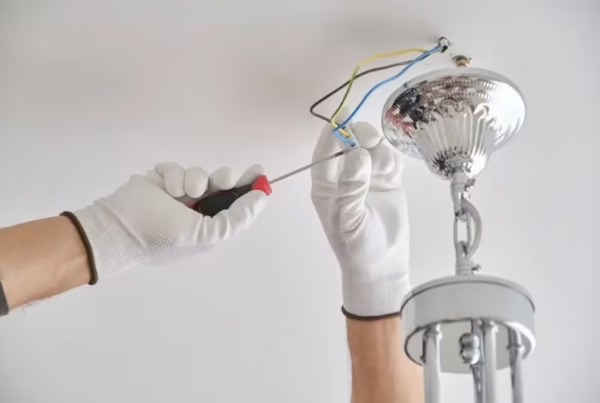
For homeowners who’ve recently had a new fan installed, it’s also worth checking that the light installation or fan fitting was completed with all bracket bolts torqued correctly — an improperly mounted fan will wobble regardless of how well the blades are balanced.
When to Call a Professional
Most wobble issues are DIY-friendly, but there are situations where you should stop and call a licensed electrician. If your fan makes a grinding or clicking noise rather than a smooth hum, the motor bearings may be failing. If the fan wobbles severely at all speeds despite balancing attempts, the mounting bracket or ceiling box could be compromised — a genuine safety concern. Any visible damage to wiring, burning smells, or flickering lights associated with the fan should be treated as urgent.
In these cases, don’t delay. The team at BTD Electrical & Data services Geelong and the surrounding region, including the Surf Coast and electrical repairs across Geelong. A qualified electrician can assess whether your fan needs rebalancing, remounting, or replacing — and do it safely and to Australian standards.
Under AS/NZS 3000 (the Australian Wiring Rules), ceiling fan installations must be securely fixed to a structurally sound mounting point. If you have any doubt about the integrity of your ceiling box or bracket, a professional inspection is the right call.
Conclusion
Learning how to balance ceiling fan blades is a practical skill every Geelong homeowner can master. Start by tightening screws and cleaning blades, then use a balancing clip and adhesive weights to fine-tune the balance. Most wobble problems are resolved within 30–45 minutes using nothing more than a screwdriver and a basic balancing kit.
That said, if your fan shows signs of electrical issues, structural damage, or the wobble simply won’t resolve, it’s time to bring in the professionals. BTD Electrical & Data is your local, trusted team for ceiling fan inspections, installations, and all things electrical in Geelong. Get in touch today and get your fan running smoothly before summer hits.
Frequently Asked Questions
How do I know which ceiling fan blade is causing the wobble?
Clip a balancing clip to the centre of one blade at a time and run the fan at low speed. The blade that, when clipped, reduces the wobble most noticeably is your problem blade. From there, move the clip along that blade until you find the position that eliminates the wobble entirely.
Can I use coins instead of a proper balancing weight?
A coin taped to the blade can work as a temporary test to confirm you’ve found the right position, but it’s not a permanent solution. Coins can fall off at speed, and the tape may damage the blade finish. Always use the proper adhesive weights from a balancing kit for a lasting fix.
How often should I balance my ceiling fan?
As a general rule, check your ceiling fan’s balance once a year — ideally before the warmer months when it will see the heaviest use. A quick clean and screw-tighten at the same time will keep the fan running efficiently and extend its service life significantly.
Is a wobbling ceiling fan dangerous?
Mild wobble is usually a nuisance rather than a hazard, but a severely wobbling fan can stress the mounting bracket and ceiling box over time. If the wobble is pronounced, worsening, or accompanied by unusual noises, have a licensed electrician inspect the installation to ensure it meets Australian safety standards.